Review Comments (17) Screenshots (3) Questions & Answers (4/4) Votes (499) Awards (1) Wiki  
-Please log in to rate
3.4 3.4/5 (499)
-Synaptics
-10.1
- www.synaptics.com
-Freeware
- 618 435 people
Download Synaptics... 10.1

6.3 MBDownloaded 59142 times


Review

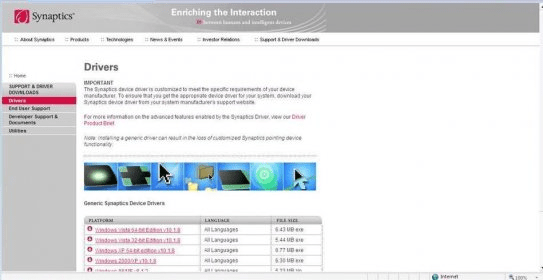
The synaptics Pointing Device Driver will allow you to add some advanced feautures to your laptops pad. You will be able to adjust the sensibility of the pad, as well as the tapping speed. You can also configure the corners of the pad as buttons in order to launch different applications with them, besides this feature you can also program the real buttons of the pad to specific applications. It will also allow you to use the pad as a virtual scrollbar. Another feauture added is Edge motion wich allows the pointer to keep on moving even if your finger reached the edge of the pad. The configuration can be accesed by double clicking the Synaptics icon in the taskbar. It is really easy to install and the generic drivers can be downloaded from Synaptics web page, where you can find the drivers for all windows platforms in all languages. It can also be found at your systems manufacturer website, since the device driver should meet some specific requirements from your device manufacturer. The installation of the generic device drivers can make you loose some of the customized Synaptics pointing device functionalities.
Advantages
  • It adds several advanced features to laptops mouse pads.
Disadvantages
  • The generic device drivers can make you loose some of the customized Synaptics pointing device functionalities.

Reviewed by: Augusto Rivera

Reviewer rating: Editor's rating 5

Screenshots

Download page Download page Synaptics icon on taskbar Synaptics icon on taskbar Synaptics main configuration screen Synaptics main...

Latest comments

Guest #5926362(beginner) 3 months ago 
this will not work on my machine. I am running vista
u4u(beginner) 25 days ago 
direct link for Vista 32-bit version
http://drivers.synaptics.com/Synaptics_v14_0_3_C_XP32_Vista32_Win7-32_Signed_default.exe

direct link for Vista 64-bit version
http://drivers.synaptics.com/Synaptics_v14_0_3_C_XP64_Vista64_Win7-64_Signed_default.exe
Dennis Derocher(beginner) 5 months ago 
I have a Dell Inspiron 1520 laptop running XP Home Edition. I could not figure out a way to disable the touchpad as I use a wireless mouse. Downloaded the Pointing Device Driver from here and went into control panel/mouse and a new box had appeared called Device I was able to disable it from there and put on icon on my tray to access it readily if I need to reinable it at some point. Thank you (Was totally frustrated in Phoenix)
jed(beginner) 5 months ago 
help here.. my pointing device suddenly stopped working,, i havent changed my settings and yet it stopped working.. however, both buttons for left and right click were not affected, and my OS still recognize the synaptics pointing device driver, need help here.. email me at yaj_20 at yahoo dot com..
Add new comment All 17 comments
Tag cloud
Download siClient

Email Address:

Password:

Register now »

Forgot password?

Copyright © 2009, Informer Technologies, Inc. About| Privacy and terms| Help| Feedback