Synaptics Pointing Device Driver

Synaptics Pointing Device Driver

Home  ›  System Utilities  ›  Other
The program is unavailable for downloading: hardware-dependent. Different versions are applicable to different devices.
3.6  (1,056 votes)
2.6
Questions & answers (8/4)
Wiki
Suggest a correction

Screenshots

  • Synaptics main configuration screen
  • Synaptics icon on taskbar
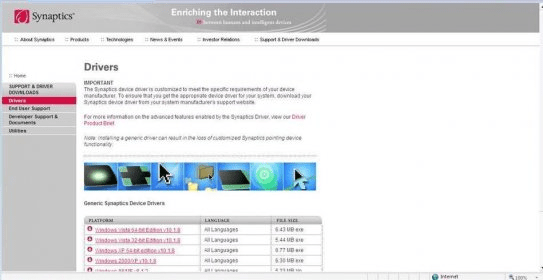
  • Download page

Editorial review

All comments (17)

Augusto Rivera Senior editor

The program has been reported to be unavailable on a regular basis.
This implies that we are unable to provide universally applicable download links, relevant version information, or any further updates.
The synaptics Pointing Device Driver will allow you to add some advanced feautures to your laptops pad. You will be able to adjust the sensibility of the pad, as well as the tapping speed. You can also configure the corners of the pad as buttons in order to launch different applications with them, besides this feature you can also program the real buttons of the pad to specific applications.
It will also allow you to use the pad as a virtual scrollbar. Another feauture added is Edge motion wich allows the pointer to keep on moving even if your finger reached the edge of the pad. The configuration can be accesed by double clicking the Synaptics icon in the taskbar. It is really easy to install and the generic drivers can be downloaded from Synaptics web page, where you can find the drivers for all windows platforms in all languages. It can also be found at your systems manufacturer website, since the device driver should meet some specific requirements from your device manufacturer. The installation of the generic device drivers can make you loose some of the customized Synaptics pointing device functionalities.

Pros

  • It adds several advanced features to laptops mouse pads.

Cons

  • The generic device drivers can make you loose some of the customized Synaptics pointing device functionalities.
Latest comments

  All comments (17)
  • 3
    Guest 2 years ago

    it is not working in my laptop properly

  • 1
    Guest 3 years ago

    i've already install the driver but it says it is not valid for Win32..so show?

  • 0
    Guest 3 years ago

    this will not work on my machine. I am running vista


loading
Download Software Informer Client
